 Offline

Fast Surveys with Tablet or Smartphone
Fast Surveys with Tablet or Smartphone.
INTRODUCTION
This application, installed on a mobile device with Android operating system, allows the user to make surveys using integrated GPS with its nominal precision, in a fast and easy way.
It can be used by surveyors and other technicians for surveys consisting on measuring lots, paths, crops, pipes, electrical lines, urban furniture...
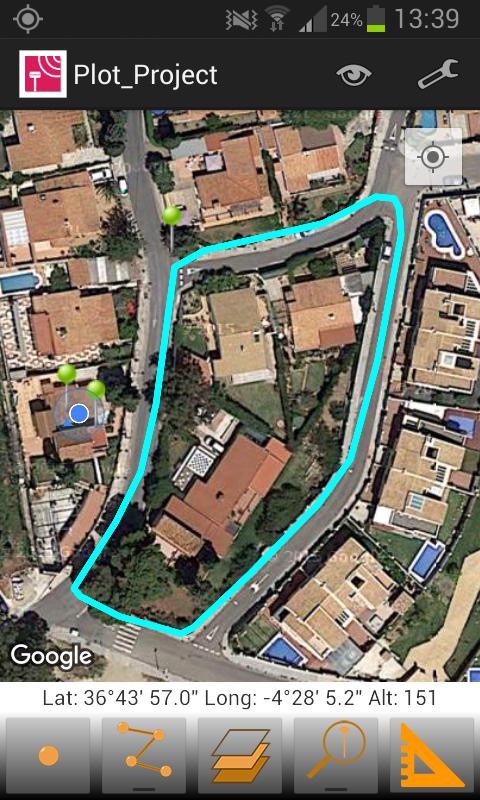
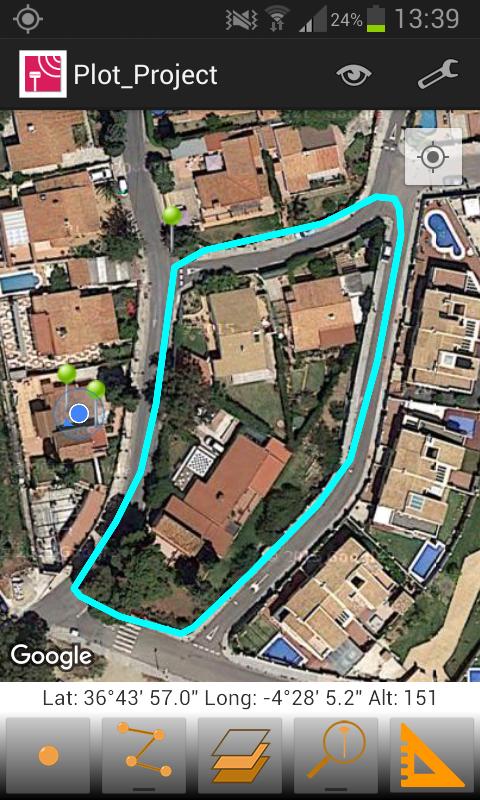
Google MapsTM is used as background, and can be represented in standard, satellite, hybrid and relief modes. Geographic or UTM projected coordinates are shown at all times.
POINT SURVEY
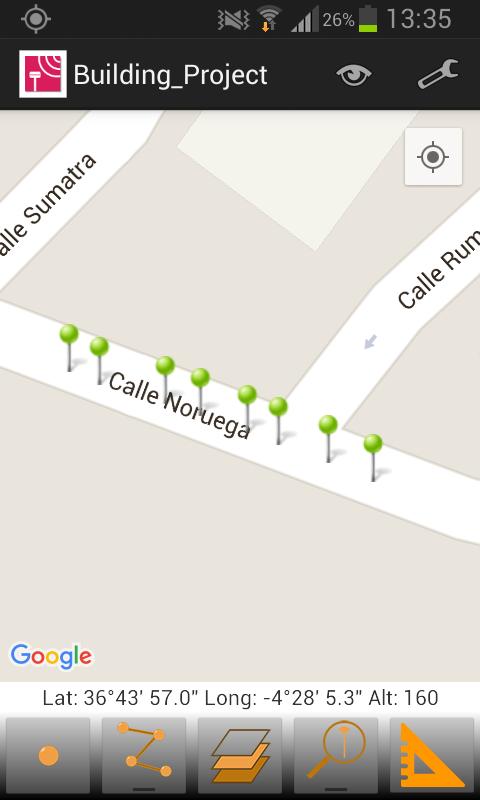
The application allows data collection of single points, whose coordinates are got from the GPS, showing the estimated precision by a circle, as is usual in location-based programs.
The points are automatically numbered and is registered the latitude, longitude and date/time. Optionally, you can be separated into different layers and also you can be associated to a picture, a comment and codes to differentiate it. The application stores the values most habitually to these codes and allows choosing them from a quick list.
CONTINUOUS SURVEY
It is also possible to perform a continuous survey, recording vertices automatically by an interval of time, distance or height difference.
At any time you can view the polyline data, such as minimum and maximum heights, length and area. Vertex information can be displayed as well.
You can work with multiple layers, with different names and colors.
MEASURING DISTANCES
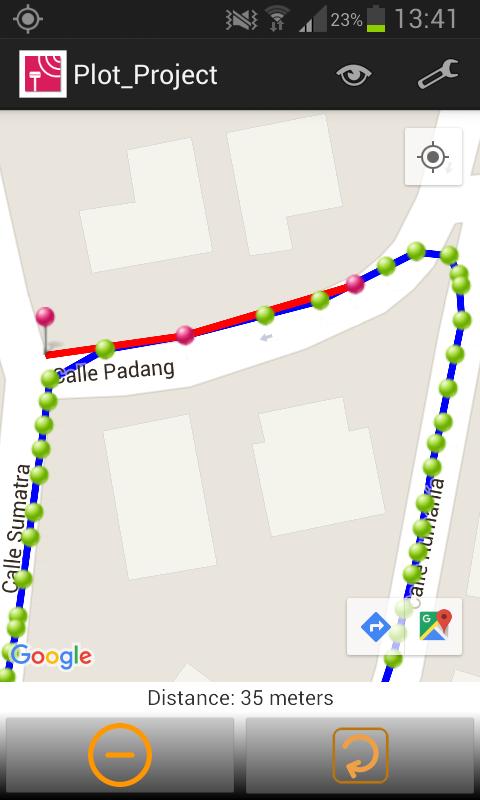
From control panel also it is available the tool for measuring distances, through which, you can measure distances between vertices of a polyline or between a points that you have captured previously.
RESULTS
The result can be stored on several files, depending which you have selected.
KML file, for Google Earth.
DXF file, for CAD software.
TXT file
All this files can be sent by email from the application, through menu and selecting “Export Files”. Besides, these files can be sent through of Bluetooth, WiFi or LAN, from the app.
These files can also be imported by TcpMDT and other CAD and GIS applications.
SETTINGS
Editing preferences lets you to change the appearance of map, points and lines captured. It also sets parameters for data collection, information displayed in real time and others.
REQUIREMENTS
• Operating System: Android 4.0.3 or higher
• Integrated GPS
• Touch screen
• Internet access
Get free Primogems, Mora, Experience, and more with these November 2024 Genshin Impact codes, 5.1 livestream codes, and find out how to redeem active codes.
If you are bored with playing the vanilla version of Metaphor ReFantazio, you can check out these five mods.
Struggling with your submissions for Roblox's The Haunt event in 2024? Check out our guide on using Dress to Impress to create your captures!
Our walkthrough for Dragon Age: The Veilguard with some handy tips and tricks, with guides for puzzles, bosses, companions, equipment, romance, and more!
Which faction should you pick in Dragon Age: The Veilguard?
Looking for some bonus resources in Sea of Conquest: Pirate War? We’ve got you covered with these codes for the latest seafaring freebies.
On our website, you can easily download the latest version of TcpGPS Lite! No registration and SMS required!